Fly-Pack Versus Installed Broadcast Systems for Touring Events
Fly-pack or installed system isn't a vibe decision. It's a logistics call that impacts load-in time, stability, and how you recover when something fails.
You’re halfway through load-in when someone asks, "Are we running a fly-pack for this, or is there an installed system" That question sounds technical, but it’s really about time, risk, and control. The right answer changes how you plan your cable paths, your rehearsals, your staffing, and what you do when the show has to move tomorrow.
define the two models in producer terms
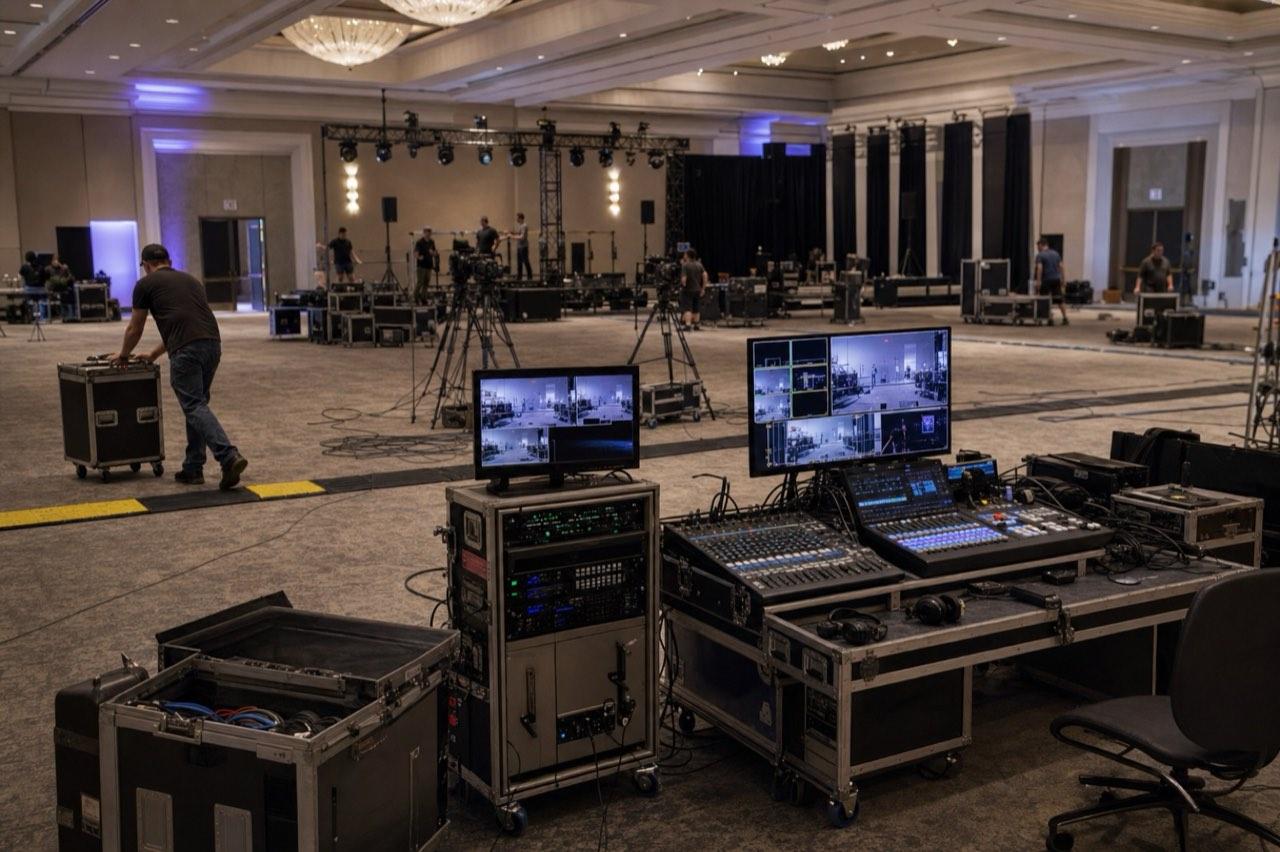
A fly-pack is a portable production system we bring in as cases and racks: switcher, multiview, routing, comms, audio interface, recording, streaming, and the power and network to make it reliable. It’s designed to be unpacked, connected, labeled, tested, run, packed back up, and rolled to the next venue.
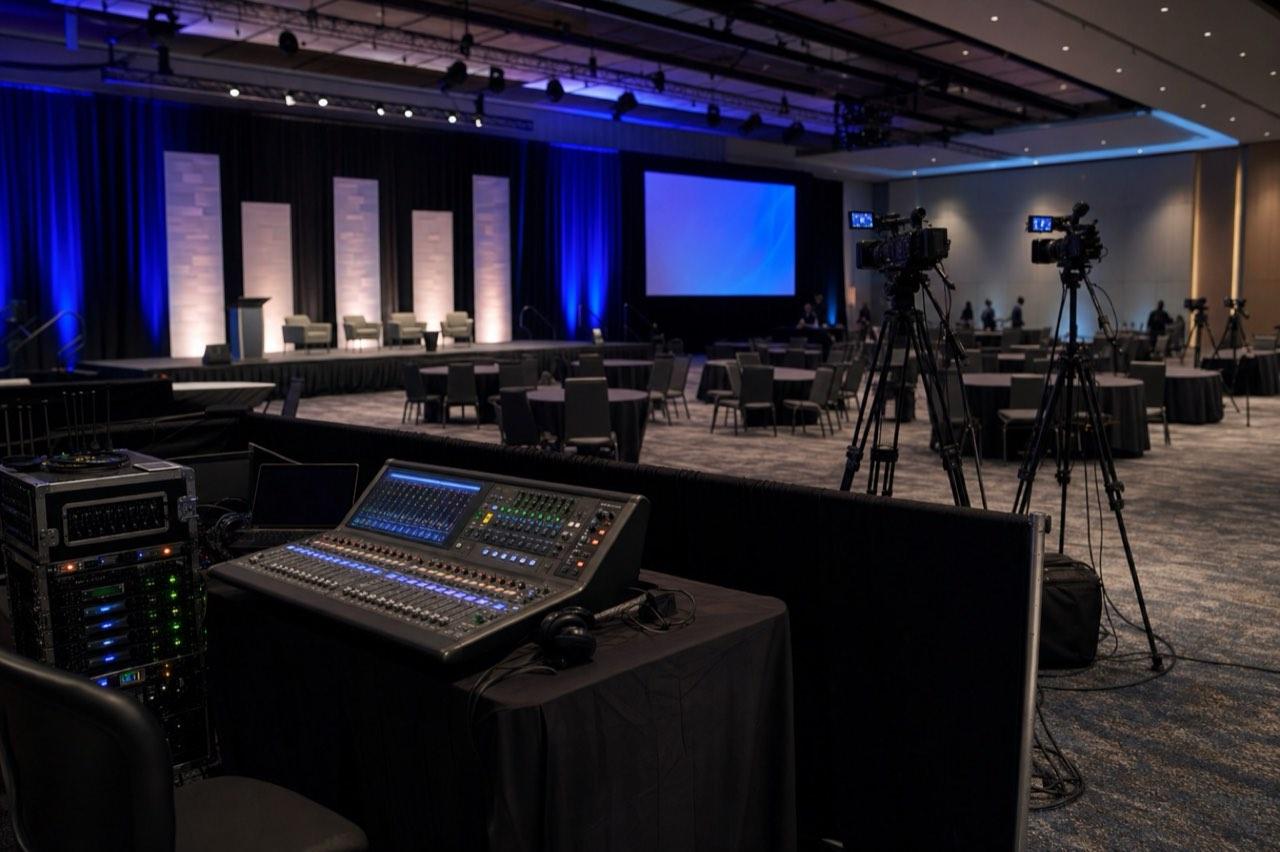
An installed broadcast system is built into a venue, studio, or recurring-use space. The patch points, racks, core gear, and often the operator positions are permanent. It’s meant to live there and be ready when you walk in.
Both can produce the same output. What changes is everything around the output: how fast you get to picture, what’s redundant, what’s already wired, and what’s going to surprise you.
when a fly-pack is the smarter choice
Fly-packs exist because touring and one-off events don’t give you the gift of a consistent room. If we’re moving, scaling, or the venue’s infrastructure is unknown, a fly-pack keeps the show logic consistent even when the walls change.
A fly-pack is usually the better fit when:
- You’re in a different venue every day or every week
- The venue’s system isn’t spec’d for your deliverables (records, streams, ISO needs)
- You need predictable workflow for camera shading, graphics, playback, and recording
- You’re building redundancy that the venue doesn’t have
- Your client expects the same result in every city
The key advantage is repeatability. Once we’ve dialed in your signal flow and comms, we can reproduce it quickly—even if the camera positions and cable distances change.
when an installed system earns its keep
Installed systems win when the space is stable and the usage is frequent. If a venue is hosting the same type of show over and over, permanent wiring and fixed endpoints remove a ton of labor and reduce failure points.
An installed system is usually the better fit when:
- The show lives in one venue or a small set of venues with identical infrastructure
- You have recurring productions with minimal format changes
- The room is designed for broadcast: camera positions, conduit, patch bays, comms
- The house engineering team is strong and involved
- You need clean aesthetics with minimal visible cabling and gear
The key advantage is speed. You can get to a working baseline without building the whole plant from scratch every time.
time math: load-in, line check, and how fast you can get to rehearsal
Most producer pain comes from time compression, not gear selection. The question is: how long until you can confidently say, "We’re ready for rehearsal"
With a fly-pack, the timeline is dominated by:
- Rolling cases , opening racks, and building a clean operator area
- Running camera, comms, audio, and network lines
- Labeling and verifying every signal
- Doing a full end-to-end test (camera > switch > record/stream > confidence monitoring)
With an installed system, the timeline shifts to:
- Confirming the room is patched correctly for your show
- Aligning your deliverables with the house routing
- Dealing with missing pieces (a record deck is down, a patch point is noisy, a network port is dead)
Installed doesn’t automatically mean faster. It means different time risk. A fly-pack might be slower to set but faster to troubleshoot, because the system is known and consistent.
reliability and failure modes: what breaks, and how you recover
Producers don’t need perfection. They need recovery. Both models fail; the difference is whether the failure is inside your control.
Common fly-pack failure modes:
- A cable or connector gets stressed during pack/unpack
- A label goes missing and a signal gets mispatched under pressure
- A power plan changes and your racks end up on an inconvenient circuit
- Network conditions change, impacting remote contribution or streaming
Common installed-system failure modes:
- A previously working patch point fails
- House routing is reconfigured between events
- A firmware update or "quick fix" changes behavior
- You’re sharing the system with another production and inherit their compromises
Our approach is to plan for recovery with practical redundancy. That might mean a backup encoder, spare comms belt packs, alternate record path, or a second network path. The point is not to eliminate risk. It’s to keep the show moving when the first plan gets punched.
staffing: who has to know what, and when
Staffing is where the true cost shows up, especially in touring. Fly-packs tend to demand a crew that knows the system and can rebuild it quickly. Installed systems can reduce build labor, but can increase coordination labor if you’re relying on house staff to interpret your needs correctly.
Ask these staffing questions early:
- Who owns routing decisions during the show
- Who troubleshoots a failed camera line
- Who controls graphics, playback, and remote contributions
- Who is responsible for the stream’s end-to-end health
If the answers are split across teams, you need a clear run-of-show and a clear escalation plan. It’s not about hierarchy. It’s about removing hesitation when something needs to be re-patched in real time.
signal flow and patching: where small details become big delays
Fly-pack workflows are usually "closed systems". We’ll define exactly what’s in the pack, how signals are labeled, and what’s expected at each end. The venue becomes a set of endpoints: camera positions, audio splits, uplink points, monitoring locations.
Installed systems are "open systems" by default. They’re designed to be flexible, which means there’s more than one way to patch the same show. That flexibility is helpful until you’re under a time crunch and two people have different mental models of the routing.
The practical move is to insist on a patch document that answers:
- What’s the primary program feed path
- What’s the backup program path
- Where are the ISO records landing (and who checks them)
- Where does audio embed and de-embed happen
- What’s the monitoring plan for producers and presenters
redundancy and scaling: what happens when you add cameras or languages
Today’s show scope has a habit of growing. Two cameras become four. One language becomes two. A webcast becomes a webcast plus in-room IMAG. You don’t want a system that only works at the original scope.
Fly-pack scaling tends to be modular: add a camera chain, add a record path, add another router card, add another intercom panel. That’s clean as long as the pack is designed with expansion in mind.
Installed systems scale differently: the room might already have conduit, power, and patching for expansion. But you can also hit hard limits fast—input counts, router capacity, comms frames, or physical space at the operator position.
When we spec either model, we look at your next likely expansion, not just this week’s requirements. That way you’re not reinventing the system every time your agenda grows.
network realities: streaming lives and dies on what the venue gives you
A fly-pack can bring a known switching and encoding workflow, but it still has to live on the venue’s network conditions, unless we bring a dedicated path. Installed systems sometimes have better connectivity, but that’s not guaranteed.
Producer-level questions that prevent surprises:
- Is the stream on a dedicated hardline or shared Wi-Fi
- Do you have a second path for redundancy
- Is there any firewall behavior that affects your platform
- Where is the demarc point, and who can change settings on show day
We don’t treat network as "IT’s job". For streaming, network is part of the show system. It needs a plan, a backup, and a time slot in rehearsal to validate under real conditions.
deciding fast: a producer checklist for the right call
If you need to decide quickly, don’t start with gear lists. Start with constraints. This short checklist usually points to the right answer:
- How many venues, and how consistent are they
- How much time do you actually have for load-in and rehearsal
- Who owns the system on show day (your crew or house)
- What deliverables are non-negotiable (ISO, stream, archive, multi-language)
- What’s your tolerance for "it worked last week" variables
If your show changes rooms often, you’re usually better off with a fly-pack or a hybrid approach. If your show lives in one room with a strong house engineering team, installed can be a major efficiency gain.
the hybrid option most tours end up using
A lot of touring events land in the middle. You use the venue’s installed infrastructure for what it’s good at (patching, house audio, stage wiring), and you bring a fly-pack for what you can’t compromise on (switching workflow, records, stream control, comms).
Hybrid is also how you protect the schedule. If the installed system is down or not configured as promised, your fly-pack becomes the fallback path that keeps the deliverables alive.
what we ask for in advance so show day stays boring
No matter which model you choose, our goal is the same: predictable workflow and boring show days. To get there, we’ll ask for practical details early:
- Venue diagrams and potential camera positions
- Load-in windows, freight path, and power availability
- Internet details and who controls them
- Your deliverables list (program, records, graphics, remote guests)
- A draft run of show so we can schedule checks in the right order
When those inputs are clear, we can build a plan that makes sense for your schedule, not a generic broadcast diagram.
closing thought: buy control where you can
The real question isn’t fly-pack versus installed. It’s where you need control, and where you’re comfortable depending on someone else’s infrastructure. We’ve run shows successfully both ways. The win is picking the model that matches your risk and your calendar.
If you want EventProSource to spec the right fly-pack or installed broadcast approach for your touring event, we can build a plan that covers the primary workflow, a backup path, and the load-in reality of your venue. Email hello@eventprosource.com for a 24-hour quote and a practical recommendation based on your run of show.