ISO Recording Versus Program Feed: Why You Want Both
If you only record the program cut, you lock in every live decision. ISO records give you options when the show changes or the edit needs a second pass.
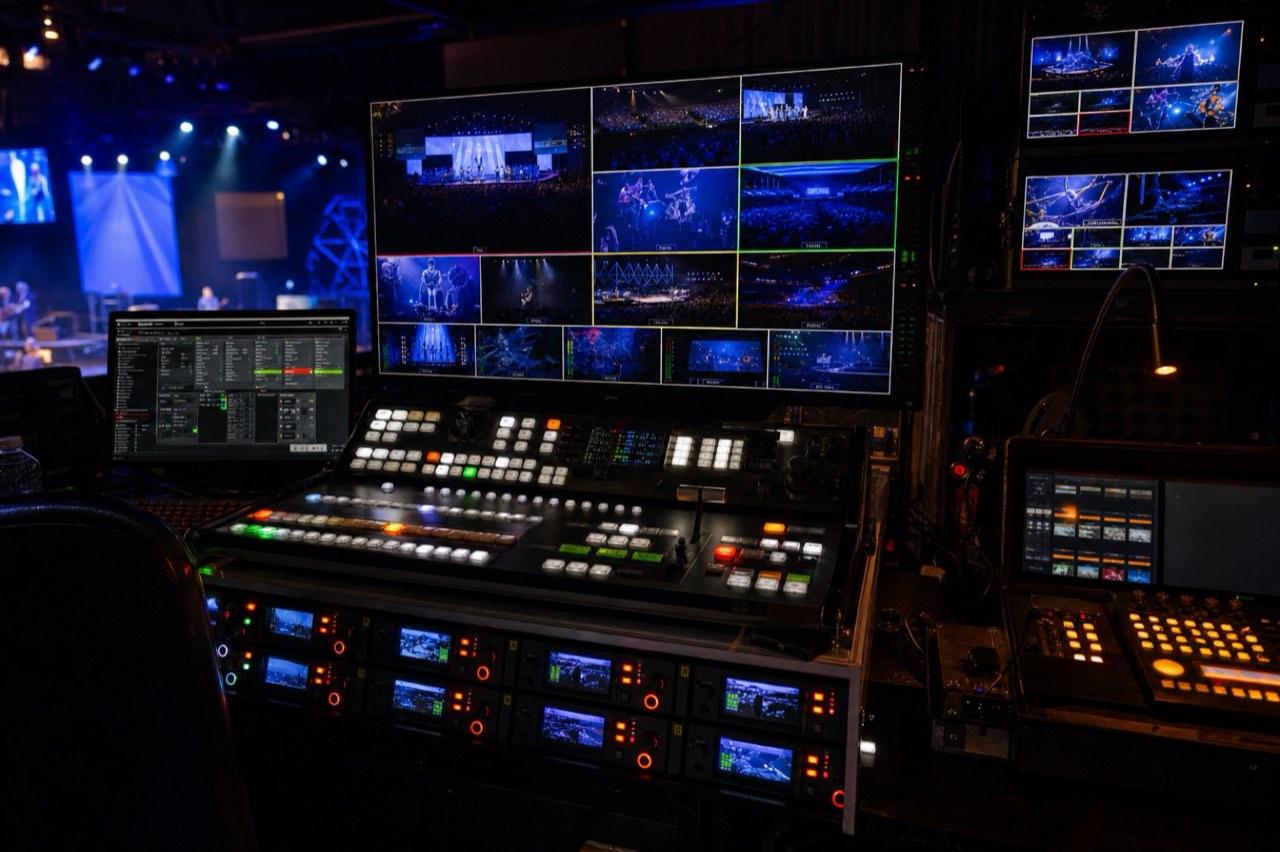
You’re in the control position, the show is moving, and the client asks for “just one more” walk-and-talk to roll right after the keynote. In the moment, your program feed looks clean enough. But two days later, the edit request lands: “Can we swap camera three for the wide during the applause and remove the slide glitch?” That’s where the difference between a program record and ISO records stops being academic.
start with the two outputs you’re actually delivering
When producers say “we need a record,” they usually mean one of two things:
- A finished, watchable copy of what happened live (the program)
- The raw ingredients to make a better version later (ISOs)
A program feed is the live-switched output. It’s the one you’re streaming, sending to overflow, sending to IMAG, or recording as the show master. It reflects real-time choices: what’s on screen, when it’s on screen, and how sources are composed in the moment.
ISO recordings are isolated recordings of individual sources—typically camera feeds, but sometimes graphics, playback, screen captures, or even clean audio stems. They’re not meant to be watched as-is. They’re meant to be edited.
Both can be correct for the same event. The trick is deciding what level of flexibility you need, and designing the system so ISO recording doesn’t become the thing that breaks your show day.
what the program feed does well (and why it’s still required)
A program record is still the most important deliverable on a lot of corporate shows, because it’s the one output that’s guaranteed to match what the audience experienced. If legal, comms, or leadership wants “what was said” with the same visuals that played in the room, the program is your authoritative copy.
Program records are also efficient:
- One file (or a small set of files per session)
- Simple delivery workflow
- Minimal post-production needed
- Easy to publish quickly
And there’s a real operational advantage: you’re already building the show around the program path. The switcher’s program output, the streaming encoder input, the confidence monitor feed, and the record feed are often the same “last mile”.
If we only had one option, we’d still prioritize a clean program feed because it’s the deliverable that keeps the event accountable.
what ISO recording buys you that the program can’t
If you’ve ever tried to fix a live decision in post, you know the pain: the camera you wanted is nowhere to be found because it wasn’t on program. The best audience reaction was missed. A presenter blocked the slide on the wide. The graphics operator took a beat too long on a lower third.
ISOs solve those problems because they let you rebuild the sequence later. Common wins:
- Camera replacement: swap angles to tighten pacing or correct framing
- Mistake coverage: hide a missed dissolve, wrong take, or an accidental cutaway
- Better storytelling: build highlight reels, sizzle edits, and recap pieces that don’t look like a straight recording
- Versioning: create clean edits for internal, external, and social without reshooting
- Speaker packages: deliver each speaker’s session with better shot selection
ISOs don’t magically fix everything, but they give you options. And in corporate work, options are usually what keep the approvals process moving.
the real question: how much flexibility does the client actually need
A lot of producers default to “get ISOs” because it sounds safer. But ISO recording has costs: gear, storage, operator attention, and more failure points. So we like to make the decision with a simple framework:
- Is there a post deliverable that must look better than the live cut?
- Is there a realistic chance we’ll need to remove or replace something? (slides, incorrect names, accidental content)
- Will the client ask for multiple versions? (regional cuts, different brand bumpers, condensed edits)
- Is this a one-time moment we can’t recreate? (CEO remarks, awards, investor messaging)
If the answer is “yes” to any of those, ISOs are usually worth designing for. If it’s an internal all-hands where the goal is simply “get the message out,” a program record might be the right level of complexity.
what we typically ISO on corporate events
The default ISO wish list can get out of hand. We keep it grounded by looking at what actually gets used in edits. In most corporate workflows, the highest value ISOs are:
- Cameras: each camera feed as clean as possible
- Playback/roll-ins: full-quality content playout as a discrete record
- Graphics: clean key/fill outputs or a graphics-only record (if the system supports it)
- Screen capture: presenter’s laptop or screen share as a native capture
Audio is its own topic, but the same idea applies: if post needs flexibility, we’ll design for stems (host, lectern, handhelds, playback, audience mics) instead of only a mixed program track.
The key is to decide early whether you want “ISOs for everything” or “ISOs for the sources that drive post value.” We push hard toward the second one unless there’s a strong reason to do otherwise.
routing and signal hygiene: ISOs only help if they’re clean
An ISO that’s missing timecode, has burned-in graphics, or is a post-fader mix that changes level unpredictably isn’t the safety net you think it is. The most common issues we prevent in the engineering phase:
- Wrong conversion path: frame rate conversions or cheap scalers that introduce delay
- Inconsistent color: cameras not matched, mixed gamma spaces, or auto settings drifting
- On-screen clutter: multiview labels or confidence overlays accidentally recorded
- Embedded audio surprises: audio on a camera ISO that doesn’t match the actual mic
We treat ISO routing like we’re building a post pipeline, not just a live show. That means we document what each ISO is, what audio it carries (if any), and what the editor should expect.
sync: the hidden reason ISO jobs go sideways
If you’ve ever received a pile of camera files that don’t line up, you know the editor’s first day becomes a forensic project. Sync is the part that’s easy to forget when you’re focused on switching and streaming.
There are a few common approaches, and we choose based on the system and the edit needs:
- Timecode across devices when the recording system supports it
- Genlock + timecode on higher-end multi-camera rigs
- Audio scratch tracks on each ISO as a fallback sync reference
- Start-of-session slate (even a simple verbal slate) to mark the timeline
The practical goal is simple: the editor should be able to drop everything into a timeline and align it without guessing. When we design the package, we’re thinking about what happens after the show day, not just during it.
storage math: ISO recording is a bandwidth and disk problem first
ISO recording feels like a “camera” conversation, but it’s really a throughput conversation. The moment you ISO multiple feeds, you’re dealing with sustained writes, large volumes, and file management at scale.
We like to estimate storage early using rough, conservative ranges based on codec and resolution. The exact numbers vary by format, but the point is the ratio: four or six ISOs multiply your storage needs fast, and that affects:
- Whether we record internally on the switcher, on external decks, or on a dedicated record rack
- How we segment files (per session, per hour, per speaker)
- How we hand off media (drive, upload, or both)
If the client wants ISOs but also wants delivery immediately after the show, we plan the logistics the same way we plan load-out: who is responsible, what gets verified, and when we’re done.
labeling and file naming: make the handoff usable
Editors don’t need a lecture about live production. They need files that are obvious. When we build the delivery plan, we keep naming consistent across the show day. A workable convention includes:
- Date
- Event name
- Session name
- Source name (CAM1, CAM2, GFX, PGM, PLAYBACK)
- Segment or time block
And we keep a short manifest that explains what each source is. If camera three is a long lens at FOH, that note matters. If CAM2 is a roving handheld that changes position, that note matters too.
This is where a lot of ISO packages fail in practice. The recording happens, but the media handoff is confusing, and the client’s team wastes time sorting it out. We design it so the handoff is a predictable part of the run of show.
common failure modes (and how we plan around them)
ISO recording adds moving parts, so we plan for what can go wrong. The failure modes we’ve seen most often:
- Dropped frames from under-spec storage
- Record limits (file size caps, time limits, or codec constraints)
- Operator drift (someone forgets to roll after a break)
- Wrong source patched (CAM2 recorded twice, CAM4 missing)
- Audio mismatch (program audio only, no scratch on camera ISOs)
On our side, we mitigate with checks that fit into show reality, not fantasy. That includes pre-show test records, verifying playback, and building a simple roll checklist that’s easy to run during breaks.
when a clean program feed is enough
There are shows where ISOs don’t add much value. Examples:
- Internal updates where the program cut is already the deliverable
- Events with minimal camera movement and simple slide + speaker framing
- Fast-turn highlights that are pulled from the program within hours
- Tight schedules where the additional complexity increases risk
That’s not a reason to avoid ISOs forever. It’s a reminder that your recording plan should match what the client will actually use.
how we scope this during advance: the questions we ask
When we’re advancing a show and the producer says “we need a record,” we’ll usually ask:
- Who is editing, and what are they editing in?
- Do you need full sessions, highlights, or both?
- Will you need to remove anything after the fact?
- How quickly do you need delivery?
- Do you want camera ISOs only, or also playback and graphics?
- Do you need separate audio stems?
Those answers drive the system design. Sometimes the right call is program + camera ISOs. Sometimes it’s program only. Sometimes it’s program, camera ISOs, and a clean playback capture because the content team cares more about the roll-ins than the live cut.
building the package so it doesn’t steal attention from the show
The operational risk with ISO recording is that it becomes the center of gravity. The show still needs to be switched well. Audio still needs to be mixed well. Lighting still needs to hit cues.
So we build ISO recording to be as “set-and-forget” as possible:
- Dedicated record paths that don’t depend on a laptop doing everything
- Simple record start/stop procedures that map to the run of show
- Redundant recording where it matters (at minimum for the program)
- Clear responsibility: someone is accountable for record status
That way, the team’s attention stays where it belongs: delivering the live show.
practical takeaway: treat recordings as a deliverable, not an afterthought
If you want the flexibility of ISOs, you need to plan for the entire chain: routing, sync, storage, labeling, and delivery. If you only want a reliable master, a clean program feed is often the right answer.
Most importantly, you can decide this early. Recording strategy isn’t something to bolt on at the last minute without consequences. When we talk through it during advance, we can build a package that matches the edit needs without increasing show-day risk.
If you want EventProSource to spec the recording plan (program, ISOs, and delivery workflow) for your event, we can build a plan that covers redundancy, post handoff, and show-day operations. Email hello@eventprosource.com for a 24-hour quote and a practical recommendation based on your run of show.