Trade Show Booth A/V: What Actually Matters
A practical guide to trade show booth A/V that holds up on a noisy show floor: screens, audio, lighting, power, and playback that runs all day.
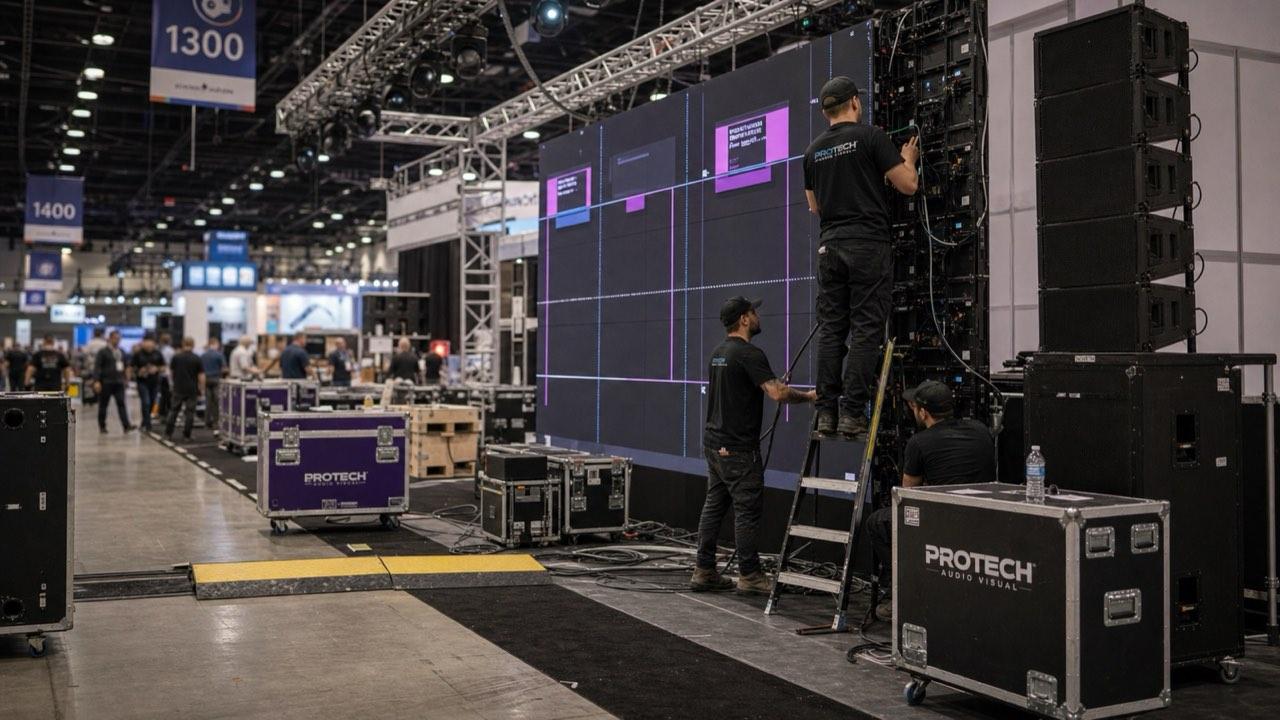
Trade show A/V is where “simple” turns into a dozen small decisions that can make your booth feel expensive, clean, and easy to run — or like a Craigslist living room with a logo on it. You’ve got a hard stop on install hours, union rules in some buildings, carpet that fights every cable ramp, and a client who wants it to look perfect from 30 feet away.
This guide is the practical version. Not the “add a screen” version. The goal is to help you spend money where it actually shows, avoid the common failure points, and build a booth that your team can operate without a dedicated engineer standing there all day.
Start with what the booth is supposed to do
Before you pick gear, answer three questions:
-
What action do you want a passerby to take in the first 5 seconds (stop, scan, walk in, ask for a demo, sit for a talk)
-
What is the booth doing most of the day (looping brand content, scheduled demos, small presentations, lead-capture conversations)
-
Who is operating it (your staff, a product specialist, a hired MC, nobody)
If the booth is mostly conversations, your A/V should support that: clean sightlines, light on faces, controlled audio, and a screen that reinforces your message without shouting over it. If the booth also needs a guest engagement or email capture element, a branded photo booth is a separate item with its own footprint and power needs, covered in our guide to photo booths for corporate events. If it’s scheduled demos, you need repeatable show cues: consistent volume, reliable playback, and a simple way to start and stop the same sequence all day.
The screen choice: TV wall, LED wall, or projection
Most booths end up in one of three buckets.
Large-format TVs
A 75–98 inch display (or a 2x2 wall) is usually the most cost-effective way to get a bright, crisp image. TVs are forgiving: they show up, they hang, they work. If your content is mostly product UI, slides, or clean video, this is a strong option.
Watch-outs:
- TV bezels show. If you’re trying to look seamless, a video wall of consumer displays can look “split” from 20 feet.
- Hanging points and weight matter. Don’t assume you can fly anything without confirming with the booth fabricator and the venue.
LED wall
LED walls earn their keep when you need impact from distance or you’re working with odd booth dimensions (wide panoramas, curved features, or very tall branding). They also look “premium” when the content is built for it.
But LED is not plug-and-play. You need to plan:
- Pixel pitch vs viewing distance (a wall that looks sharp up close costs more and needs more processing)
- Rigging or ground-support structure
- Power distribution and cable paths
If you’re considering LED, it’s worth reading our primer on screen resolution and content mapping: /blog/choosing-led-wall-pixel-pitch.
Projection
Projection is the niche pick for trade shows. It can work for scenic looks (textures, atmosphere) or when you’re doing something theatrical, but show-floor ambient light and sightline chaos usually fight it.
If you’re committed to projection, treat it like a full design problem: surface, throw distance, ambient light control, and content brightness all have to line up. If you are weighing projection against LED for a hotel ballroom instead of a show floor, our LED wall vs projector comparison walks through ceiling height, ambient light and throw depth.
Audio: the part everyone underestimates
In a trade show hall, you are competing with HVAC, crowd noise, neighboring booths, and sometimes a DJ two aisles over. The goal is not “loud.” The goal is intelligible.
Two common booth audio needs:
1) Audio for demos at the front edge
If you’re running scheduled mini-presentations, you need a controlled coverage pattern so you’re not blasting your neighbors. Small powered speakers on stands are the quick solution, but they often spill everywhere.
A better approach in many booths is speakers mounted lower and aimed carefully, or compact columns that keep energy off the ceiling. If you’ve ever fought feedback and hot spots, you know why.
2) Audio for “feel” inside the booth
If the booth is more lounge-like, you might only need low-level music for vibe, or a muted loop that supports your video without being heard across the aisle.
Either way, be honest about the hall. If speech matters, budget for a real microphone setup and proper gain structure.
For a deeper read on choosing the right speaker approach, see: /blog/line-array-vs-point-source.
Microphones: keep it simple and repeatable
If you’re doing any kind of talk or demo, microphones become the make-or-break.
Typical trade show demo setups:
- Handheld mic: most forgiving, easy for guests, less prone to clothing noise
- Headset mic: best intelligibility, but needs coaching and careful placement
- Lav mic: convenient, but can sound thin and can be noisy if the presenter moves
What matters most is consistency. If you’re rotating presenters, pick a mic type that your team can put on correctly every time.
Lighting: the easiest way to look expensive
Trade show halls have flat overhead lighting that makes people look tired and product demos look dull. A little intentional lighting goes a long way.
Two lighting goals:
- Light faces in the booth so your staff looks approachable and your product looks clear in photos
- Create separation so the booth reads as a defined “space,” not just carpet and counters
You don’t need a concert rig. You need flattering front light and controlled accent light.
If your booth includes video or cameras, lighting becomes even more important. Underlit faces will make your content and recordings look cheap.
Power and cable management: where trade shows punish you
Trade shows are brutal on power because you’re often far from the drop, working under carpet, and building fast.
Plan power like you plan staging: draw it.
- What circuits are you getting from the venue?
- Where is the distro or power strip “home base” living?
- What’s on each circuit (screens, media players, lighting, chargers)
Then plan cable paths:
- Keep walkways clean
- Use proper cable ramps where needed
- Hide what you can under scenic or behind counters
This is also where safety and show rules come in. If you’re in a venue with stricter labor requirements, your load-in and strike plan matters as much as the gear.
For a practical planning mindset, our NYC checklist is a good reference even if you’re not in New York: /blog/corporate-av-checklist-nyc.
Playback and content: don’t let a laptop run your booth
If your booth relies on a staffer’s laptop, you’re one notification pop-up away from looking unprepared.
Use a dedicated playback plan:
- A media player with auto-loop and auto-resume after power loss
- A backup copy of content locally (not only in the cloud)
- A simple “start of day” checklist
Content needs to match the canvas. LED walls, multi-screen layouts, and ultra-wide formats require mapping and testing. If you don’t test in the right aspect ratio, you’ll end up with stretched logos, letterboxing, or cropped messaging.
Control: the booth should run without an A/V person babysitting it
The best trade show A/V packages are the ones your team can run.
That means:
- One-button start for demo sequences
- Clear labeling on anything the client touches
- Locked-down settings on TVs and players
- A backup remote and spare cables in the booth drawer
If you’re adding lighting cues or multiple zones, keep the control surface simple. A tablet-based controller can work well if it’s configured correctly and the Wi‑Fi situation is considered.
The short list: what actually matters in a booth A/V package
Here’s the quick reality check. If you nail these, the booth will feel solid.
- Screen size and placement that reads from the aisle
- Audio that’s intelligible without being obnoxious
- Lighting that flatters people and defines the space
- Power distribution and clean cable paths
- Playback that’s dedicated, tested, and recoverable after a power blip
What to tell your A/V team before they quote it
A quote goes sideways when the scope is vague. If you want numbers that reflect reality, provide:
- Booth size and rendering (including hanging sign details)
- Venue name and show dates (install hours matter)
- Screen plan (TVs vs LED, sizes, orientation)
- Demo schedule (all-day loop vs hourly presentations)
- Audio intent (speech, music, both)
- Any union or venue labor requirements
- Load-in constraints (dock access, freight elevator, marshaling)
If you’re not sure about any of this, say so. A good production team will help you define it and keep you out of trouble.
If you need A/V support for a booth that has to look clean and run all day without drama, EventProSource can turn a plan quickly and get you a 24-hour quote. Email hello@eventprosource.com with your booth size, show city, and what you’re trying to accomplish.